Guided eligibility
The confirmed order shows whether a controlled amendment is available and explains the exact blocker when it is not.
Sales Order Amendments provides a controlled exception process before delivery or invoicing. Guided eligibility explains what is safe, every request preserves the original values, an independent approver decides, and each applied or rejected decision stores a PDF certificate.
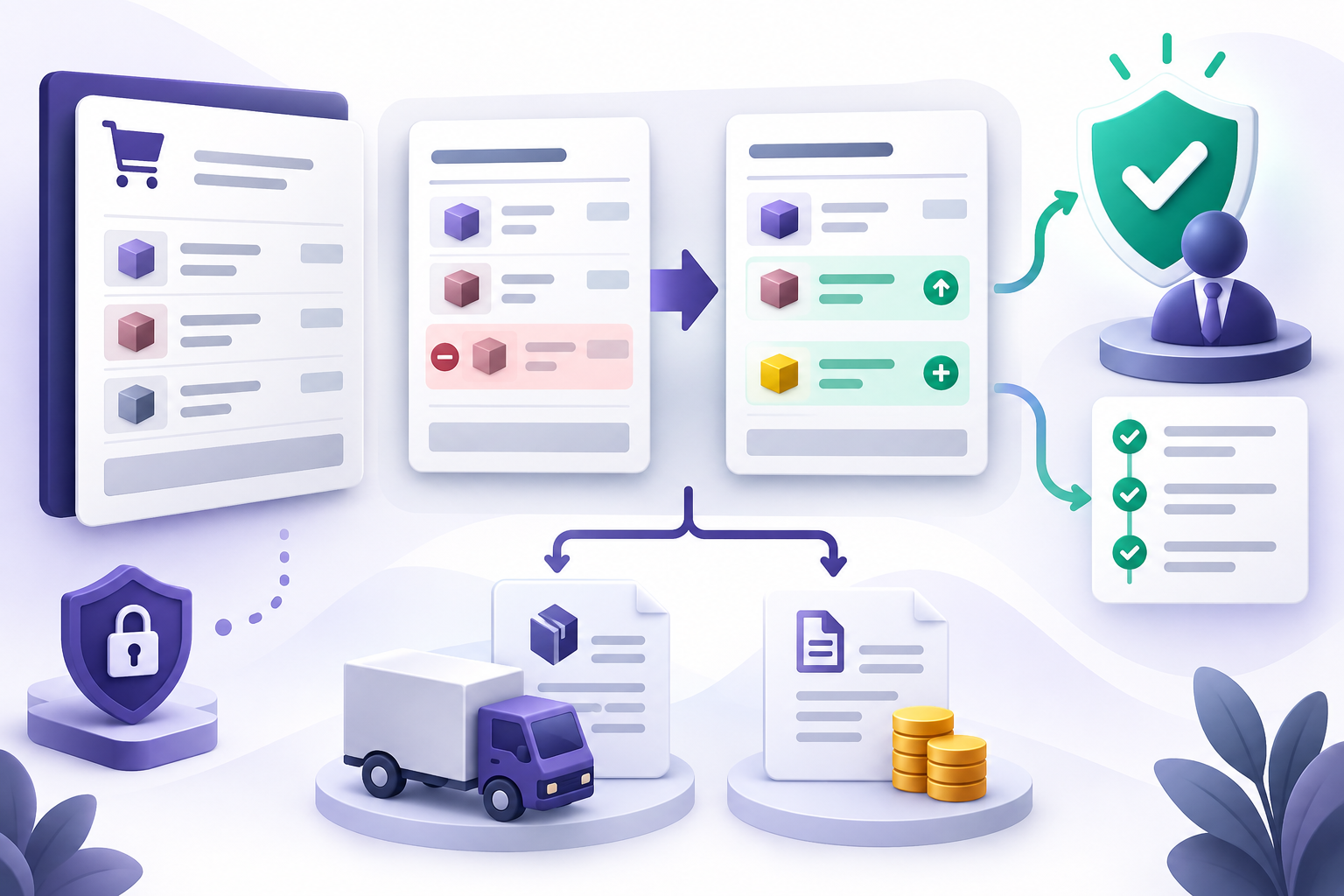
The module is designed for direct, unprocessed warehouse-to-customer deliveries. It stops when downstream work makes automatic correction unsafe.
The confirmed order shows whether a controlled amendment is available and explains the exact blocker when it is not.
Original and proposed dates and line values become immutable when the request is submitted.
The requester cannot approve their own amendment. The rule is enforced on the server.
Odoo locks and revalidates the order before applying the approved proposal as one controlled operation.
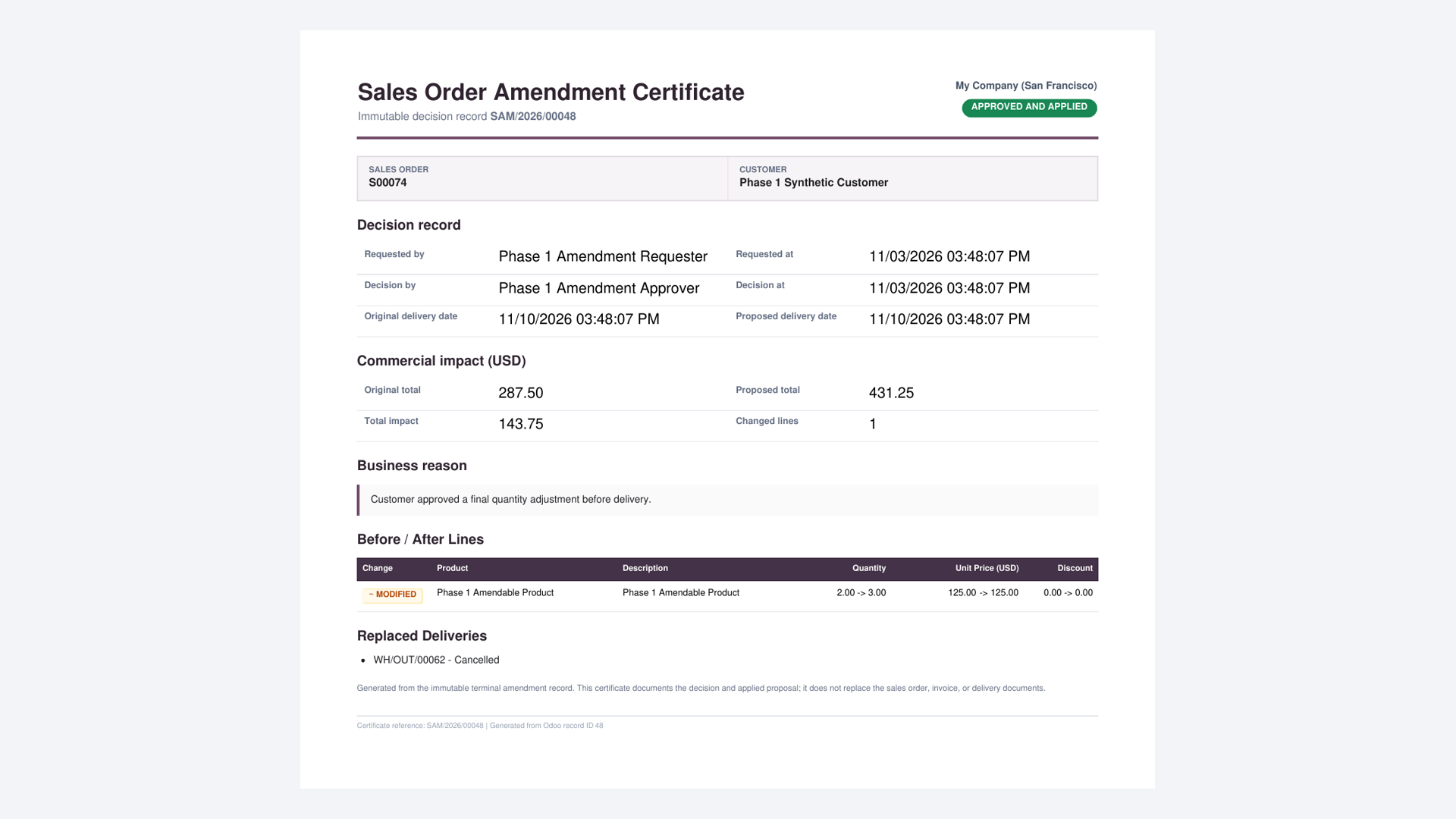
Applied and rejected decisions store a one-page PDF with actors, dates, rationale and immutable before-and-after values.
Invoices, payments, processed stock, special routes and stale source orders are rejected instead of guessed through.
These images and the short walkthrough come directly from the tested release build.
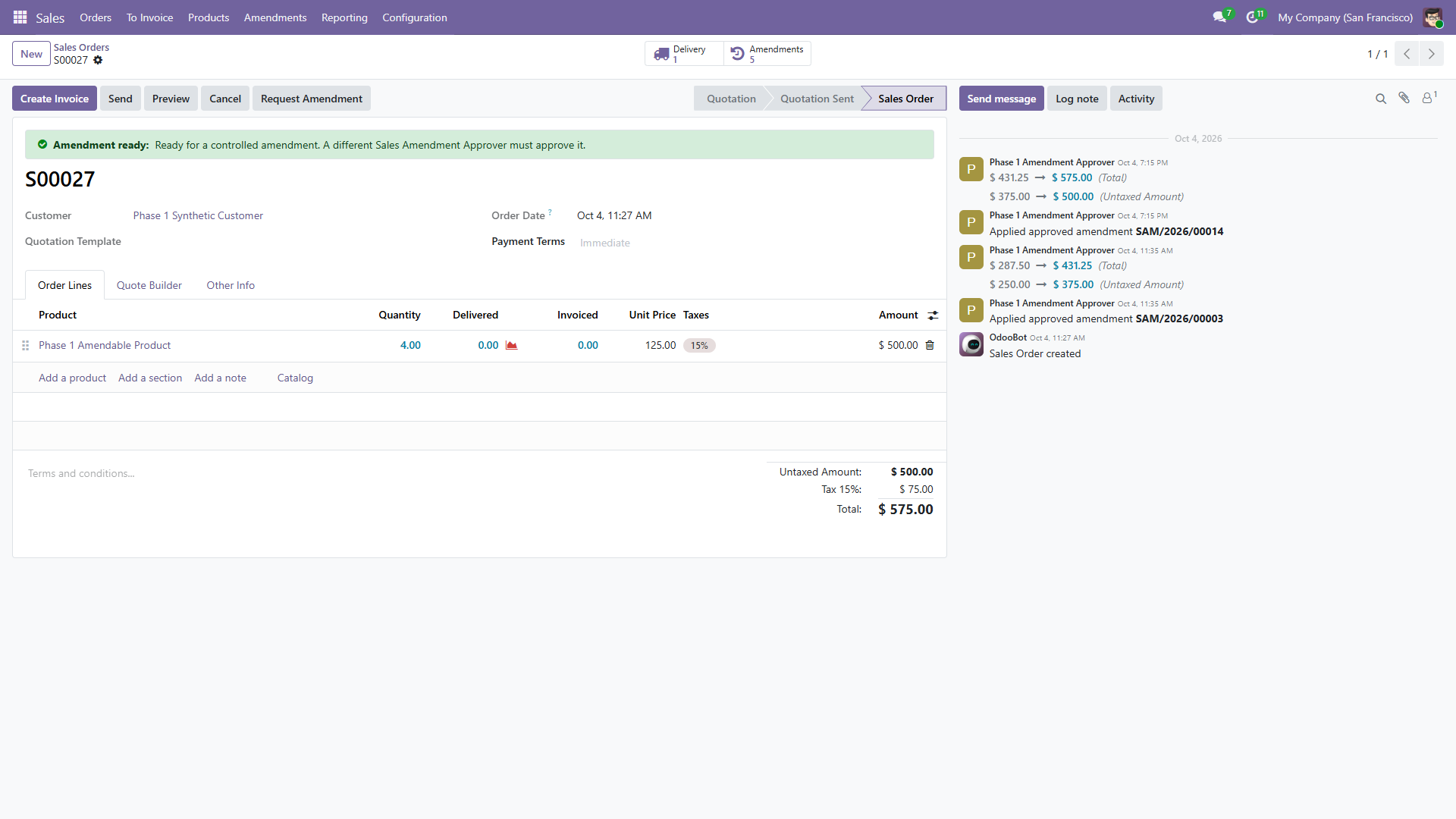
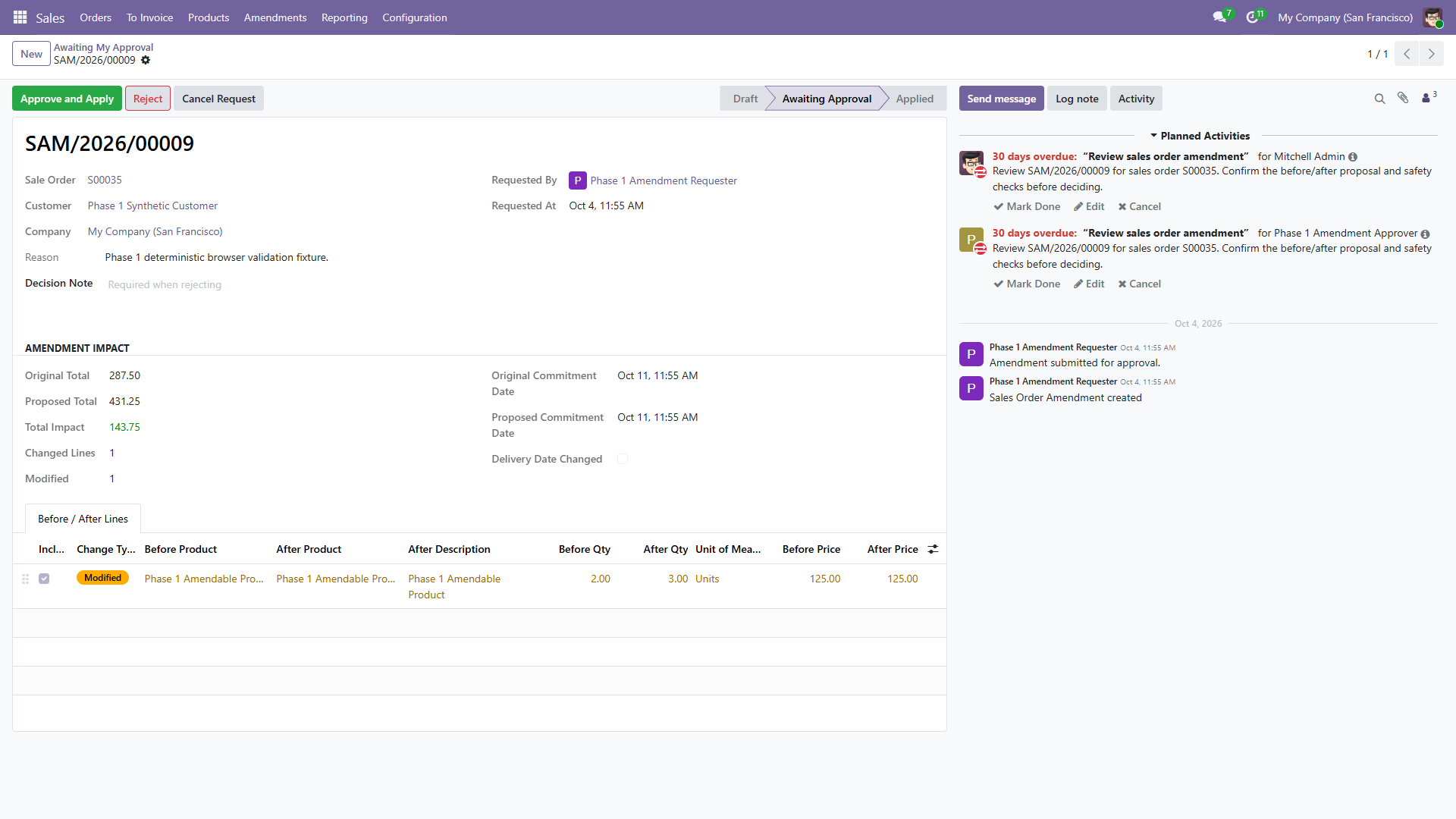
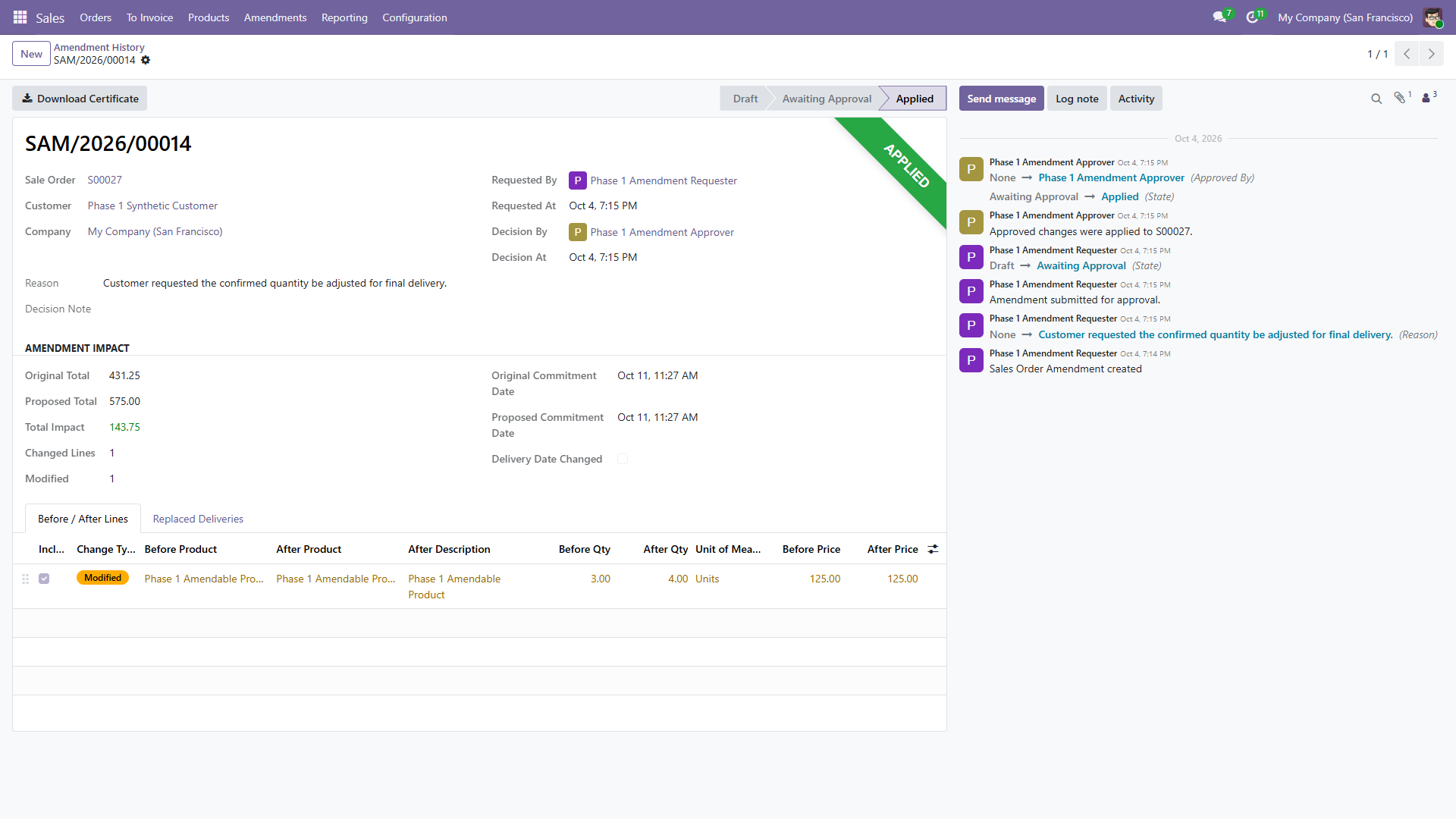
The order explains its eligibility. Select Request Amendment, enter the reason and change the proposed date or line values.
A real difference is required. Submission freezes the proposal and creates activities for eligible Sales Amendment Approvers.
A different authorized approver uses Awaiting My Approval, the activity, or the order smart button to review every change.
The server locks the order, checks safety and freshness, then applies the change or records the rejection as one transaction.
The terminal record, replaced delivery and stored decision certificate remain linked to the original order.
It refuses orders with invoices or refunds, payments, down payments, picked or completed stock, returns, or source changes made after the snapshot.
It also refuses dropship, make-to-order, multi-step and special routes, configured or combo products, subscriptions, expense-derived lines, and services that create projects or tasks.